Grooming photos and messages
See the cut they mean.Keep the photos for next time.
Ask for a coat or haircut photo through Seglo Phone. In your booking software, keep appointment photos for your team and choose which ones to share with the customer.
Megan Hale
Today 8:51 am
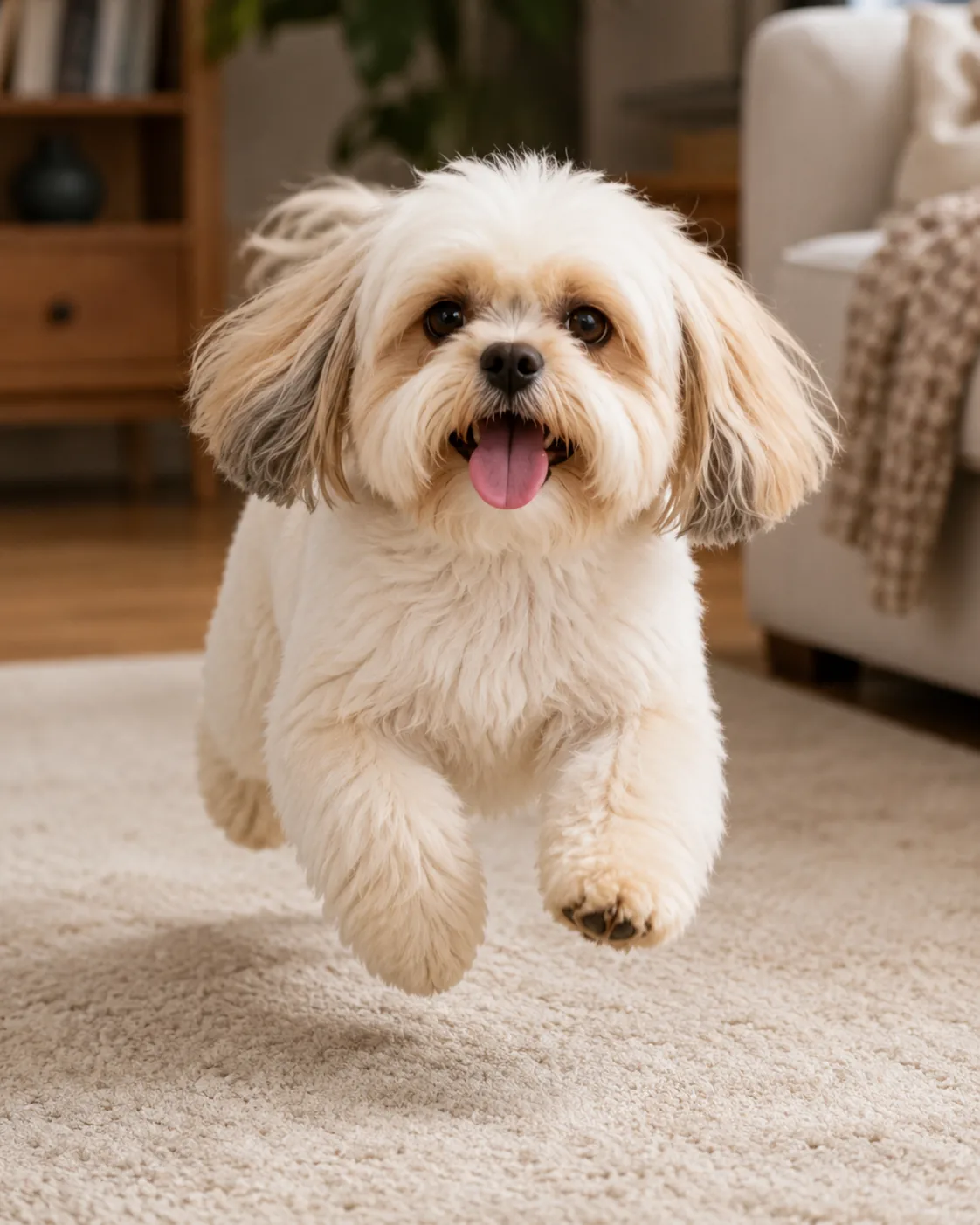
Bella after her last groom. Can we keep the face round like this?
They send
A reference photo from your customer.
See the cut they have in mind.
Before and during the groom
Exchange photos through your shop’s phone conversation.
- Ask for a reference cut or a photo of the coat before drop-off.
- Show the owner something you have noticed during the groom.
- Reply from the same business conversation as their calls and texts.
- Let the next team member read the earlier messages and photos.
Two-way picture messaging uses Seglo Phone and a working business number. Photos in a message thread stay with that conversation; they are not automatically assigned to a particular dog’s album.
Appointment photos
Keep team photos separate from the ones you share.
- Add photos to the appointment for your team’s reference.
- Choose which photos the customer can see.
- Pair a before photo with its finished groom.
- Open the pet’s photo history for a later visit.
Marking a photo for sharing makes it available in the customer’s booking. Sending a photo notification is a separate action.
Team only
Coat reference · 2 photos
Shared with customer
Sharing the finished groom
Choose email or text for the photo notification.
Share from the appointment. The customer’s contact details and your phone connection determine the available delivery options.
| Option | How the customer opens the photos |
|---|---|
| An email links to their booking and shared photos. | |
| Text with picture messaging | The first photo can be attached as an MMS, with links to open the shared photos. |
| Text without a shop number | For a business with no linked phone number, the photo-sharing service can use a Seglo text sender with a link to the photos. |
Text is offered when the customer has a phone number. A disconnected or suspended shop number still needs fixing before you can rely on it to send messages.
After the visit
Schedule a review request after the visit.
- Connect your Google listing or save its review link.
- Choose when eligible customers should be asked after their visit.
- Preview upcoming texts, change their dates or skip a visit.
- Ask each customer automatically once across your shop’s pets and locations.
- Check when each customer was invited and see the message sent.
Automatic review texts need a working Seglo Phone number, your Google review link and the customer’s mobile number. You turn them on for each location. A shared appointment photo can accompany the request; without a photo, the text can go on its own.
What it costs. $149 once to set up, then $79 a month including two people. Each extra person is $29 a month, up to five. Each number is its own plan at the same price. Prices exclude GST, which is shown as its own line on the invoice. Month to month, exit cost nothing, so the least you can spend is $228: the $149 setup plus one month at $79.
Emergency calls (000, 112, 106). 000 and 112 work from Seglo Phone, and they need power and a working internet connection. In an outage, use a mobile or a fixed line. Emergency services see the service address you have registered, not where the person calling is standing. Always keep another way to reach emergency services.
Conversation, not campaigns. Your number is for talking to your own clients. Bulk marketing goes out on the platform messaging channel instead, and a number that starts behaving like a broadcast is throttled. That is what keeps it deliverable.
Have the right photo ready for the next groom.
Try it for 14 days. No credit card required.