When a call or groom changes hands
The owner should not
have to explain
the dog again.
Give your team a shared phone conversation, keep selected photos with the appointment and set the reminders customers need before the groom. Each has its own settings and sharing choices.
Recognised customer details
When Phone is connected to your grooming business
The conversation belongs to the business
Not one employee's personal handset
Appointment reminders and photos
Choose channels and what to share
Before anyone says hello
See who's calling
and check their pet's notes.
Connect Seglo Phone to your grooming business to open a recognised customer’s saved details from the call.
Staff with the right access can check pet notes and past visits before asking the customer to repeat them.
Incoming call
Megan Prasad
0412 908 331
Client since 2023 · 14 visits
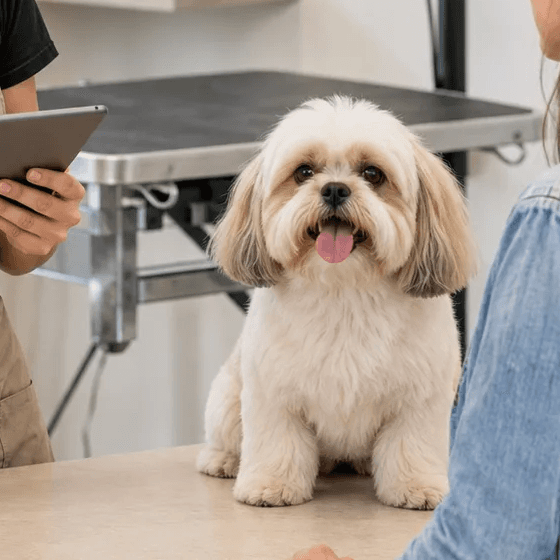
Bella
Full groom · with Sam
“Matting behind the ears last time. Muzzle for nails.”
Last visit 5 weeks ago
When somebody is free to answer
Let the first available staff member answer.
A call rings your team’s available signed-in devices. The first person to answer takes it, so an available colleague can pick up while you keep grooming.
Check the Phone plan’s device allowance. A phone and a tablet count as two devices.
When every hand is busy
Add phone cover when your team cannot answer.
The optional AI receptionist uses your grooming services, hours and available times to answer routine questions and take bookings. Questions needing your judgement become callbacks for the team.
A call nobody reached still lands in front of the whole team afterwards, rather than in one person’s missed-call list.
Enable and configure phone reception for each location. Its phone line must be connected; buying a number alone does not turn AI on.
Photos before and after the groom
Share the photos you want the customer to see.
- Exchange reference photos in your shop’s Phone conversation.
- Keep appointment photos internal or mark selected ones for sharing.
- Send a photo notification by email or supported text delivery.
Picture messaging can attach the first appointment photo, with links to open the shared photos. Link delivery is also used where supported. The sender and format depend on your phone setup.
Marking an appointment photo for sharing makes it visible in the customer’s booking. Sending a notification is a separate action.
Ashfield Grooming
Today 4:12 pm
Bella’s all done and looking gorgeous!
https://ex.mpl/m/9f3k2q
Sending a link
Your customer opens another page
to see the photo.
Ashfield Grooming
Today 4:12 pm
Bella’s all done and looking gorgeous!
Sending the photo
Your customer sees the photo
in the text conversation.
Reminders and booking updates
Choose when customers hear about their booking.
- Choose up to two reminder times before the appointment.
- Set the available channels for each type of notification.
- See which team members can receive each update, based on their access.
- Offer suitable free times to your waiting customers.
Notification settings, personal preferences and available contact details affect delivery. Text reminders also need SMS delivery switched on and enough message credit.
When staff change
Keep staff's
personal numbers private.
Call and text from your business number on the team's devices. Customers reply to your shop, and your groomers can keep work out of their personal messages.
Remove a departing team member’s access to stop new calls reaching their devices.
Your business keeps the conversation history. Message photos stay in the conversation; appointment photos have their own sharing and pet-record choices.
Moving the number
Request a transfer of your existing shop number.
Check whether your Australian mobile number can move to Seglo. Keep your current service active until the transfer is complete.
Review the current charges and transfer terms before requesting the move. Timing depends on your current provider.
Help with replies
Read the AI draft before your customer does.
Turn on SMS reply suggestions to prepare drafts for incoming customer texts. Your team can edit, send or dismiss each suggestion. It never sends itself.
Reply suggestions are a business-wide choice, separate from phone reception at each location. Photo-only messages do not generate a text reply suggestion.
Questions grooming owners ask
Do I need booking software to use Seglo Phone?
No. Seglo Phone works on its own for calls, SMS and MMS. Customer, pet and booking context is available when you also use Seglo for Business.
Can my team use the shop number?
Yes. Staff can share customer calls and messages through Seglo Phone, without giving customers their personal numbers. Device allowances and current charges are listed on the Phone pricing page.
Can appointment photos stay internal?
Yes. Photos added as internal stay with your team. Marking a photo for sharing makes it visible in the customer’s booking; sending an email or text notification is a separate action.
Does AI send SMS replies without my team checking them?
SMS reply suggestions are drafts. Your team can edit, send or discard them. You choose whether to turn suggestions on.
Is the AI receptionist included with the phone number?
AI Receptionist is an optional add-on. Enable it for the locations that need it and configure how it handles calls. A phone number alone does not enable the receptionist.
What it costs. $149 once to set up, then $79 a month including two devices. Each device after that is $29 a month, up to five. Prices exclude GST, which is shown as its own line on the invoice. Month to month, exit cost nothing, so the least you can spend is $228: the $149 setup plus one month at $79.
Emergency calls (000, 112, 106). 000 and 112 work from Seglo Phone, and they need power and a working internet connection. In an outage, use a mobile or a fixed line. Emergency services see the service address you have registered, not where the person calling is standing. Always keep another way to reach emergency services.
Conversation, not campaigns. Your number is for talking to your own clients. Bulk marketing goes out on the platform messaging channel instead, and a number that starts behaving like a broadcast is throttled. That is what keeps it deliverable.
Keep customer conversations where your team can find them.
Try it for 14 days. No credit card required.