Drop-off timing controls
How Earliest drop-off, time-slot interval, and buffer between appointments combine to shape your drop-off day — with one worked example.
Updated 14 September 2026
Choose when customers can arrive and how much cleanup time you need between pets. Three separate settings control arrival windows, the times offered online and the gaps reserved between services.
Find all three under Booking settings → Scheduling. Open each setting separately and choose Save after changing it.
Open in app: Booking Settings
Choose the setting that changes the right time
- Earliest drop-off — how early before their service a customer may drop off. Wide settings let people drop in the morning and wait; tight settings keep drop-off close to the service. See Earliest drop-off.
- Booking start times → Start time spacing — the spacing of the drop-off times customers are offered. Set to 15 minutes, they see 9:00, 9:15, 9:30; set to 30, they see 9:00, 9:30. A wider interval gives a tidier, less crowded booking page.
- Time between appointments → Time to keep free — an automatic gap reserved after every service for cleanup, notes, or a reset. It's the only setting that deliberately holds time open between services.
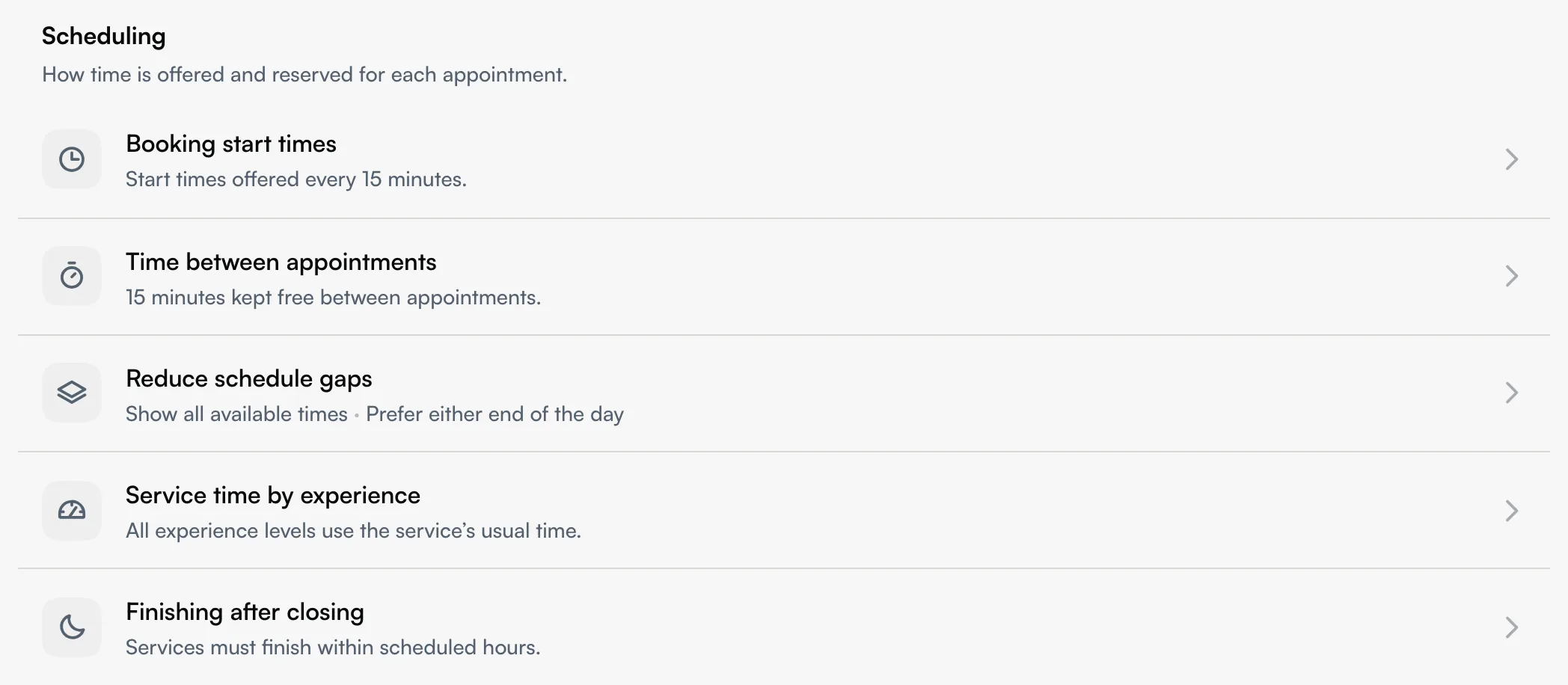
They're independent — changing one doesn't move the others — but together they determine which drop-off times appear and how tightly the actual services pack.
Understand fill-first packing
Seglo packs services fill-first: it uses every available minute. The service start is not rounded up to your time-slot interval — the next service starts the moment the previous one (plus any buffer) ends.
So after a service that ends at 9:10, the next service can start at 9:10 — it is not pushed to 9:15 just because your interval is 15 minutes. The time-slot interval only spaces out the drop-off times customers see; it never forces a gap into your actual working day. The only intentional gap is the buffer you set.
Work through an example
Say your day looks like this:
- You open at 9:00.
- There's already a booking running 9:00–9:10.
- Time to keep free is set to No buffer (0 minutes).
- A customer books a 60-minute service with Earliest drop-off set to Any time after we open.
Here's what happens:
- The customer can drop off from 9:00, because the window allows any time after open.
- Your existing service finishes at 9:10. With no buffer, the next service can start immediately.
- Seglo schedules the 60-minute service to start fill-first at 9:10, not 9:15.
- The customer sees their drop-off time with Est. ready by 10:10 underneath.
If the customer chose to drop at 9:00, the pet waits ten minutes for its turn — that gap is the hold, and it's expected. Turn the buffer up to 15 minutes and the same service would start at 9:25 (9:10 end + 15 buffer), giving an Est. ready by 10:25 instead.
Tune for tighter or looser days
- Want a denser day? Keep the buffer low and the time-slot interval small, so services butt up against each other and customers see plenty of drop-off options.
- Want breathing room? Raise the buffer — every service gets a guaranteed gap after it.
- Booking page feels cluttered with odd times? Widen the time-slot interval; it declutters the customer's view without changing how tightly you actually work.
Tips
- Only the buffer creates real gaps. Interval and drop-off window shape what customers see and when they arrive — they never force idle time into your schedule.
- Fill-first means the interval won't waste minutes. A service ending at 9:10 leads straight into the next one at 9:10.
- Nothing here changes existing bookings. Adjust a setting and only future bookings follow it.
Related
- Earliest drop-off — the drop-off window itself.
- Drop-off scheduling — the underlying model and the ready-time estimate.
- Drop-off booking FAQ — fixes for common surprises.
- Appointment settings — the full booking-settings reference.
Related