Booking-led Scheduling
Keep days with no one rostered open as Open Slots: a customer books, you get an email, then you choose who works.
Updated 11 October 2026
Some shops roster first and then wait for bookings. Others would rather take the booking first and call a groomer in for it. Booking-led Scheduling keeps days with no one rostered open as Open Slots: a customer books, you get an email, then you choose who works that day.
Open in app: Booking settings, Team schedule
Customers are never told whether a groomer was rostered. Their confirmation and reminders read like any other booking, and assigning a groomer later sends them nothing.
Turn on Booking-led Scheduling (web app)
- Open Booking Settings → Online booking (on mobile web, Settings → Booking Settings → Booking-led Scheduling).
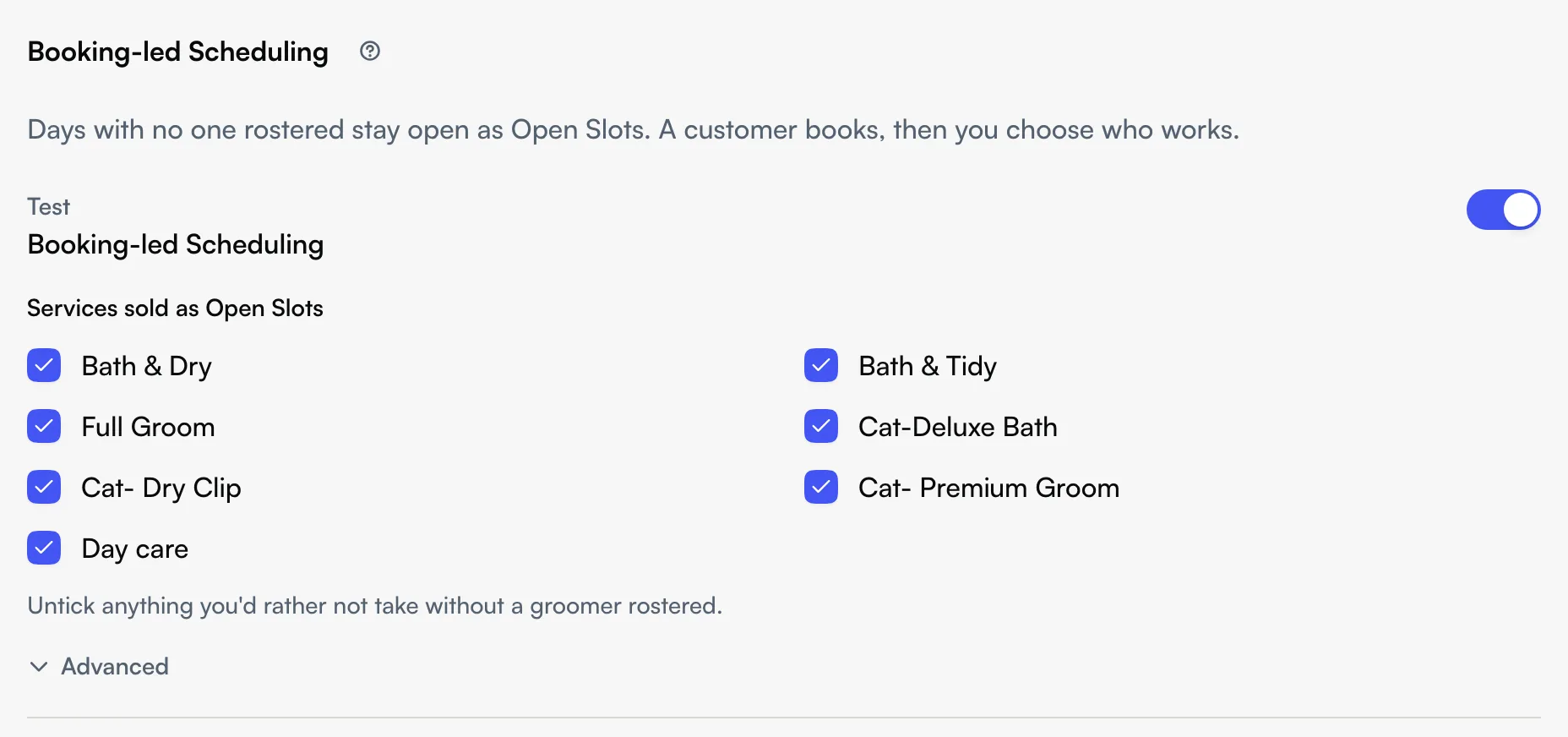
- Under Booking-led Scheduling, turn on the switch for a store. Each store has its own switch, and the store needs its state set, because public holidays are checked by state.
- Under Services sold as Open Slots, every service at that store starts ticked. Untick anything you would rather not take without a groomer rostered.
Changes save as you make them. The Seglo appointment app has no Booking-led Scheduling settings; it shows the Open Slot lane on the calendar and the day's assign action.
Know when a day is an Open Slot (web app)
Seglo decides per store, per day and per service. A service sells as an Open Slot on a day only when all five hold:
- Booking-led Scheduling is on for that store.
- The day is inside your booking window and past the Minimum notice for Open Slots (1 day by default; change it under Online booking → How far ahead customers can book).
- The day is not a public holiday in the store's state and not a store closure day.
- The weekday has Open Slot hours. These follow the store's hours, so a weekday the store is closed has none.
- Nobody bookable who is rostered at that store that day can do the service.
The last rule is the one to remember. A service that someone rostered can do is not an Open Slot that day; when that person is full, customers join the waitlist instead. Assistants and team members who are not bookable do not count. A half-day shift counts as the whole day. A customer who chooses Any groomer is offered a real person first.
Handle an Open Slot booking (web app)
- You get an email and a push notification the first time a day is booked, one per store per day, and one reminder 3 days out if the day still has no groomer.
- The calendar shows the day's bookings in an Open Slot lane, and the Requests page lists each day under Open Slot bookings.
- Choose Assign on either, then pick who works. Seglo adds that person's shift for the day and moves the bookings onto it. You can give all of a day's bookings to one person or choose per booking.
Bookings still marked no groomer yet cannot be checked out, so pick who did the groom first. Booking-led Scheduling cannot be turned off for a store while any of its bookings still has no groomer; assign them, then turn it off.
Change Open Slot hours (web app)
Open Booking-led Scheduling → Advanced → Open Slot hours and choose Edit hours. Open Slots follow the store's hours by default. The hours set which times customers can book on an Open Slot day; they do not open a day that one of the five rules closes.
Take two bookings at once (web app)
Under Advanced, turn on Two bookings at once. The second booking at the same time opens only once the first is taken, so a quiet day still fills one groomer before it asks for two.
Turn single days on or off (web app)
Open Team → Schedule. The Open Slots row shows the verdict for each day: Open · 3 services, Off · Ava rostered, Off · Labour Day or Off · store closed. Use the day's menu to Open this day or Turn off this day. A day you open sells every ticked service even if someone is rostered, and its menu offers Undo to go back to the usual rule. A day that still has bookings cannot be turned off.

Tips
- If a day you expected is Off · holidays not published, the store's state has no holiday list for that year yet. Open the day yourself from the schedule if you still want it.
- Open Slots rely on your team's service skills. If a groomer who can do a service is not marked as able to in their profile, that service may sell as an Open Slot on their rostered day.
- A service with an assistant step needs an assistant rostered that day; an Open Slot only stands in for the groomer.
Related
- Appointment settings — booking window, minimum notice and the other online booking controls.
- Appointment requests — the page that lists Open Slot bookings waiting for a groomer.
- Appointment calendar — the Open Slot lane and the assign action.
- Staff schedule — the roster the Open Slots row sits on.
Related