Gift card settings
Switch gift cards on, set the amounts customers buy, control expiry, and handle the breakage and accounting details most owners miss.
Updated 20 September 2026
Selling gift cards brings money in before you do the work and turns a happy customer into a new one. Before your first card goes on sale, this is where you decide what customers can buy, how much, and how long they have to spend it — the rules that lock onto every card the moment it's issued.
This is the rules page. To look up a card you've already sold, check a balance, refund one, or rescue an expiring card, use Gift cards under Catalog.
Open in app: Gift card settings
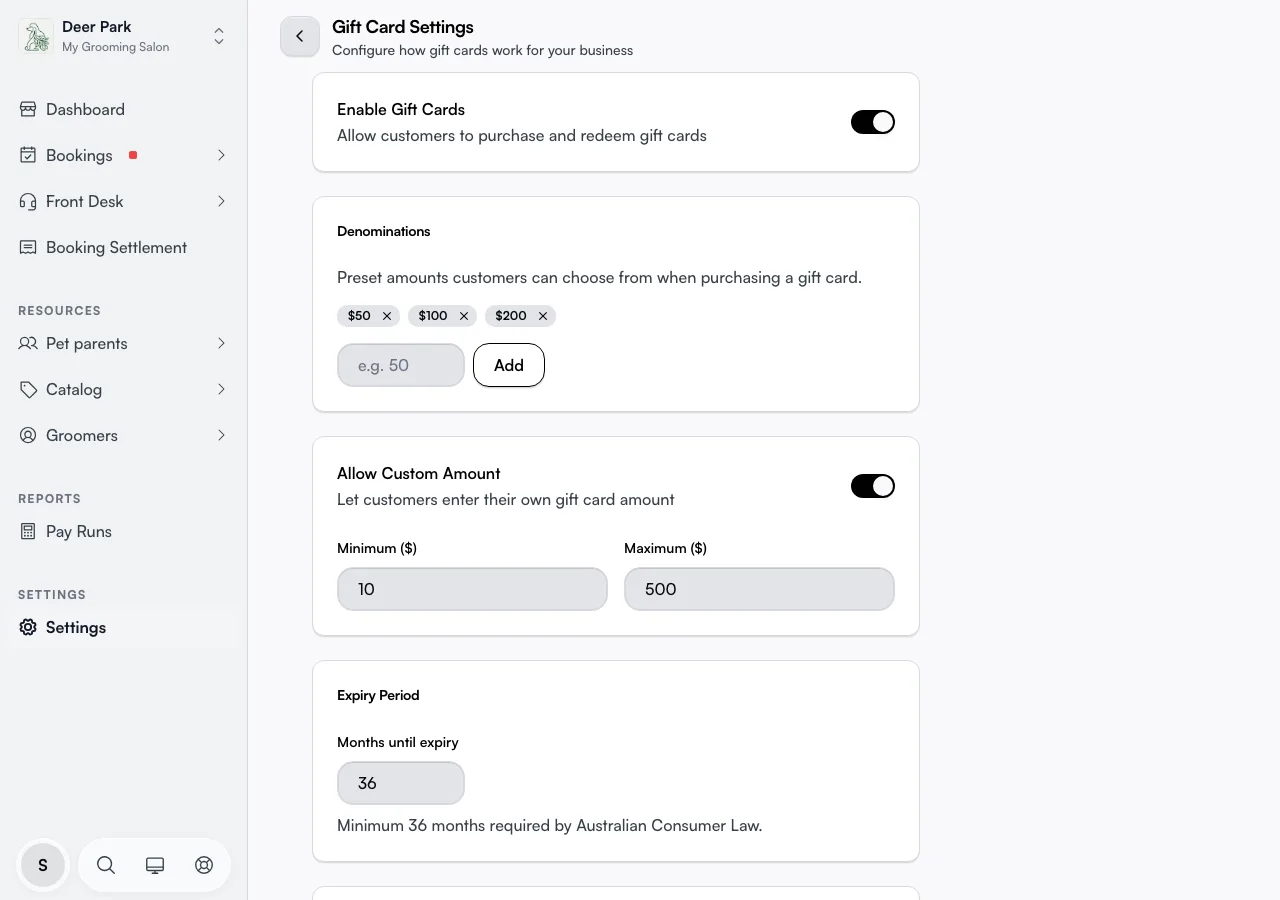
Each row opens its own panel; change what you need and click Save. Panels save independently — close one without saving and that change is dropped. Rows you don't touch keep their current value.
Switch gift cards on before customers see them
Open Enable Gift Cards and turn Gift cards on. Until you do, customers can't buy a card. New businesses start with this off, so set the amounts and expiry below first, then come back and flip it on as the last step.
Set the amounts customers buy
Open Denominations to set the preset amounts customers pick from. Type a dollar value and click Add (or press Enter); each one becomes a chip, kept in order low to high. Remove one with the X on its chip. The amounts default to $50, $100, $150, $200 until you change them — keep at least one, or there's nothing to sell.
Duplicates are blocked — add an amount you already have and it's refused. The same goes for zero or blank values.
Let customers name their own amount
Allow Custom Amount lets a customer type any value instead of picking a preset — handy when someone wants to gift an exact service price or top up to a round number. This is switched on by default, which surprises owners who only set presets and don't realise customers can already enter their own.
When it's on, set the Minimum ($) and Maximum ($) that bound what they can type (defaults $10 to $500). The minimum can't be higher than the maximum, and a save that breaks that rule is rejected with a message. Turn the toggle off to lock customers to your presets only.
Control how long a card stays valid
Open Expiry Period and set Months until expiry — counted from the day the card is bought. The floor is 36 months, required by Australian Consumer Law, and anything lower is rejected when you save. Cards default to exactly 36 months.
Expiry isn't only a setting — it's enforced. The moment a card's expiry date passes, it shows as Expired in your gift card list, on the card itself and on the customer's balance page, and it can no longer pay for a booking. Nobody has to mark it, and there's no overnight wait.
To give a customer more time, open the card under Gift cards and click Extend Expiry. It works on an expired card too: save a later date and the card can be spent again straight away. That control lives on the individual card, not here.
Know where the money sits on your books
Open Accounting for the one thing that trips up owners at tax time: a gift card sale is not income yet. Read it before you launch.
- A sale is recorded as a liability (unearned revenue) — money you owe in service, not profit.
- When the customer redeems the card, that liability converts to service revenue.
- Any balance left unredeemed after expiry becomes breakage income — it moves from "money owed" to "money kept", which is a real line on your books.
The panel suggests creating a dedicated "Gift Card Liability" account in your accounting software so outstanding balances are tracked separately from day-to-day takings. If you sync to Xero, see Xero invoicing for how these flow through.
Tips
- Rules lock onto each card at sale. Change a denomination, the expiry, or the amount limits and only cards sold after count — cards already out there keep what they were sold with. There's no way to bulk-change issued cards.
- Custom amounts are on out of the box. If you only meant to offer presets, open Allow Custom Amount and turn it off, or a customer can buy any value between your min and max.
- Empty out your presets and custom amounts at once and there's nothing to buy. Keep at least one denomination, or keep custom amounts on.
- Expiry is automatic. A card counts as Expired from the moment its date passes. To bring one back, open it under Catalog → Gift Cards and use Extend Expiry — the new date has to be later than the current one.
Related
- Gift cards — view balances, look up a card, extend an expiry, cancel or refund.
- Discounts — promo codes and price reductions you can run alongside gift cards.
- Xero invoicing — how sales, liabilities, and balances flow into your accounting.
Related