AI text back
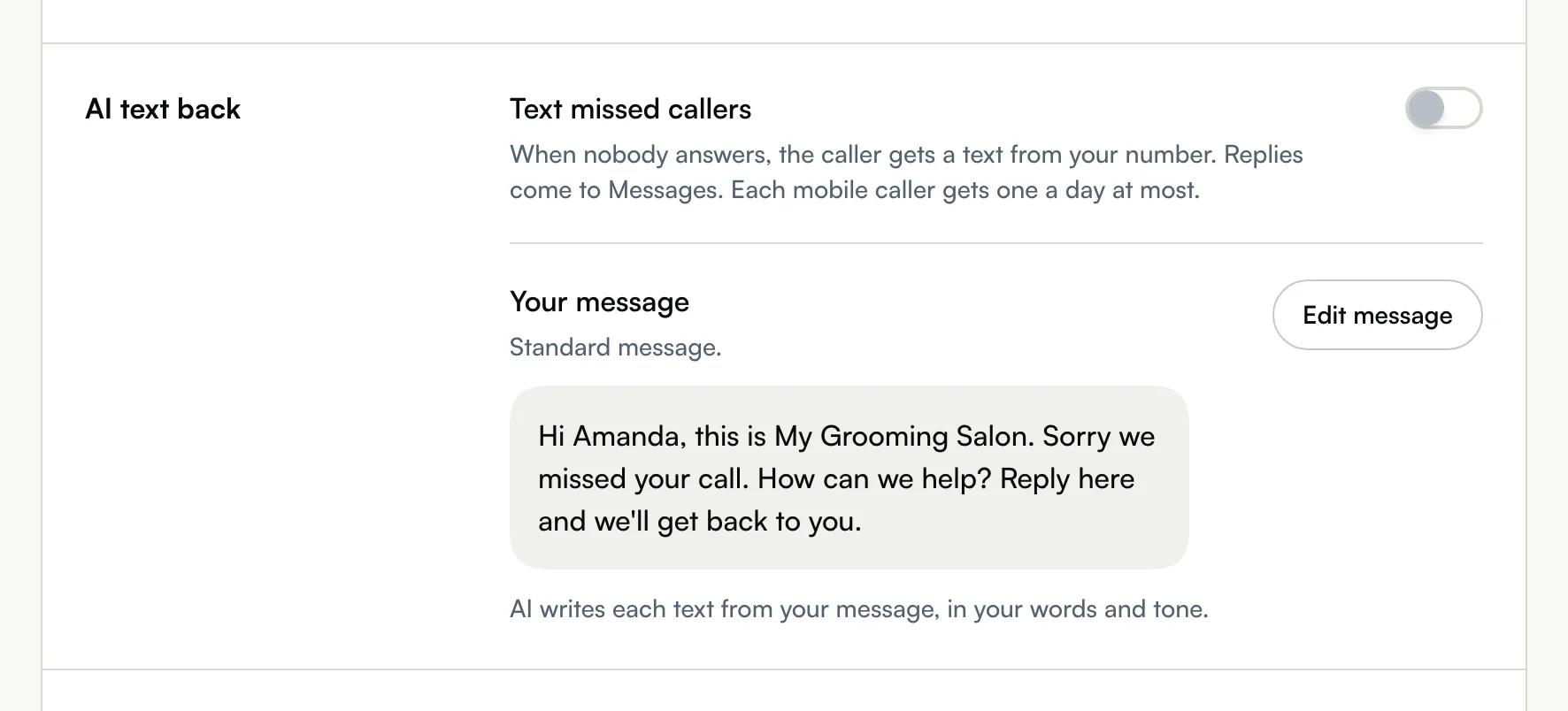
Text callers nobody answered from your own number, within 10 minutes, unless you've already spoken to them. Set the switch and the message per number.
Updated 5 November 2026
You're mid-groom and the phone rings out. With AI text back on, the caller gets a text from your shop's number a few minutes later, so they know you saw the call and can reply instead of trying the next groomer.
Open in app: Phone settings on the web. In the Seglo Phone app, open More → Settings, tap the number under Numbers, then AI text back.
AI text back is set in the Seglo Phone app and the web app. The Seglo appointment app doesn't have it.
Before you start
- The number's shop needs a number that can text. Without one, the switch can't go on: the web says Needs a number that can text. and the app says This location has no number that can text.
- The switch and the message belong to each phone number. Callers get the text of the number they dialled.
- To turn it on or off you need permission to manage Seglo Phone. To change the message you also need permission to change settings.
Turn on AI text back (web app)
- Open Phone settings in the sidebar, then the Numbers tab.
- On the number's card, choose Call handling.
- Under AI text back, switch on Text missed callers.
- Choose Save on the You have unsaved changes bar at the bottom of the page.
Turn on AI text back (Seglo Phone app)
- Open More, then the Settings tab.
- Under Numbers, tap the number.
- On Call handling, tap AI text back. The row shows On or Off.
- Switch on AI text back. The change saves straight away.
Change the message (web app)
- In Call handling, under AI text back, choose Edit message.
- Type your message. Tap + Business name or + Caller first name to add those details.
- Check What customers get now, then choose Save.
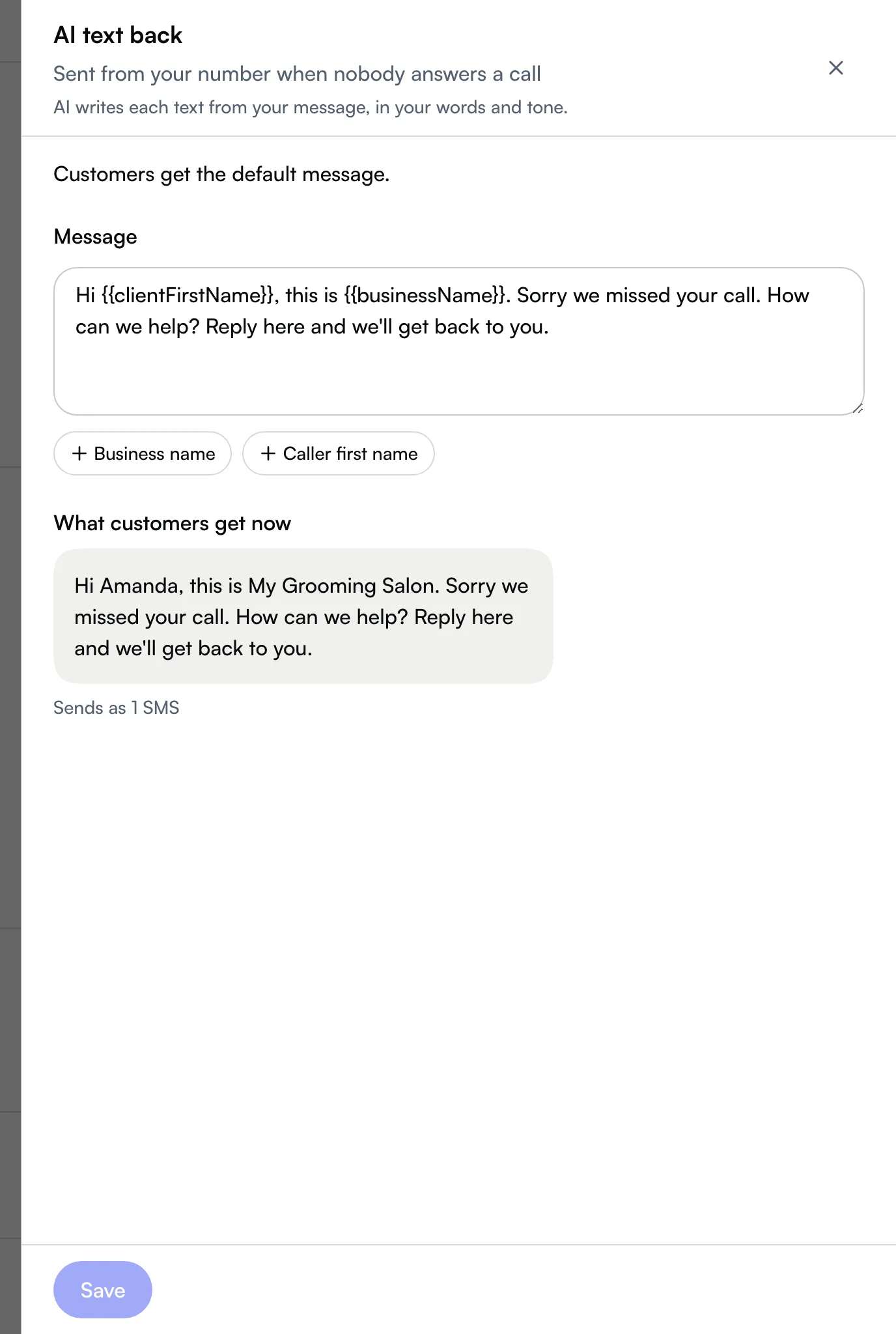
Until you save your own message, the number sends Seglo's standard message: "Hi {first name}, this is {business name}. Sorry we missed your call. How can we help? Reply here and we'll get back to you."
Change the message (Seglo Phone app)
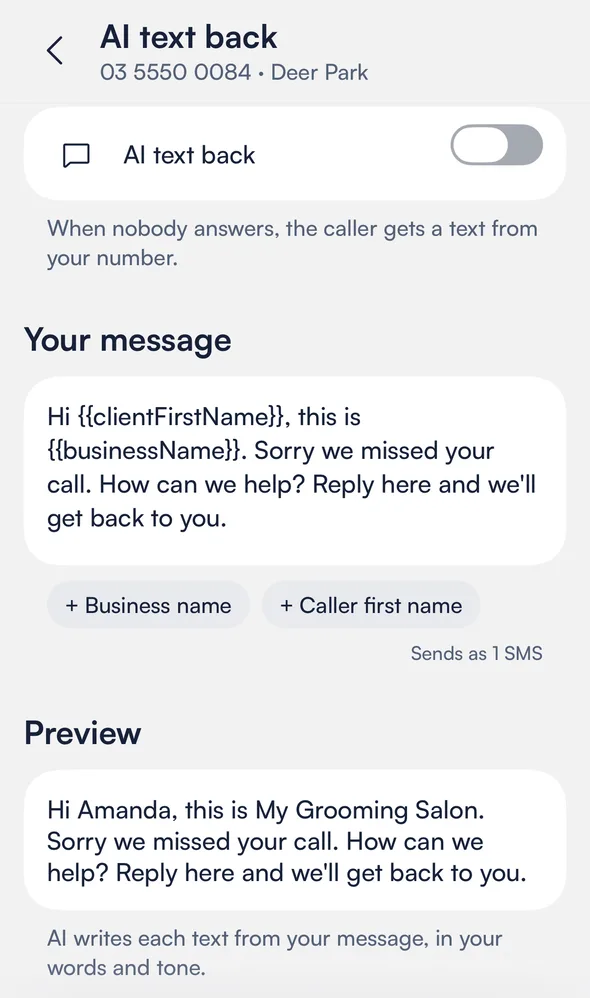
- On the AI text back screen, type your message under Your message. Tap a detail to add it.
- Check Preview, then tap Save at the top right.
- To go back to the standard message, tap Use Seglo's default.
When the text is sent
- The text goes out within 10 minutes of the missed call, at a different moment each time, never straight after the call.
- It isn't sent if you've spoken to the caller in the meantime: you called them back and they answered, from any of your numbers or apps, or they called again and someone answered.
- It is still sent if the caller left a voicemail or texted you during those minutes.
- If you switch AI text back off while a text is waiting, it isn't sent.
How AI writes each text
AI writes each text from your message, in your words and tone, so callers get a text that reads like you wrote it rather than the same auto-reply every time. It changes only a few words: your sentences and their order, and your line breaks, stay as you wrote them. Nothing is added: no times, prices, links or promises that aren't in your message. The preview shows your message as you wrote it.
Offer texts from your number are reworded the same way: AI offer text for a pet's next groom, and the Waitlist offer for a waitlist customer. There, the time, the deadline and the link always stay exactly as written.
Who doesn't get a text
- A caller who hangs up within 3 seconds, which is usually a misdial.
- Landlines and other numbers that can't receive a text.
- A caller you texted in the last 24 hours. Each caller gets one text a day at most, however many times they call.
- Private contacts and blocked clients.
- Callers after your shop has sent its automatic texts for the day. AI text back and review requests share a daily allowance of 15 per shop.
See and answer the replies
The caller's reply arrives in your Inbox like any other text. In Recent calls, a call you texted back shows Texted back with the time.
Tips
- The caller's name only appears when Seglo knows it. Caller first name comes from the caller's own Seglo account. Without it, the text greets them without a name ("Hi, this is…"), so write a message that reads well either way.
- A text didn't go out? Check that the caller called from a mobile, didn't hang up straight away, and wasn't texted the day before.
Related
Related